1- Press  + [ F1 ], to enter Y= + [ F1 ], to enter Y= |
| |
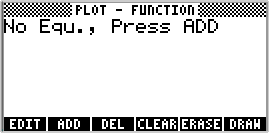
2- It will show
 |
| |
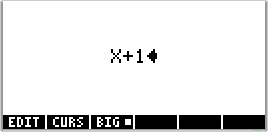
3- Press softkey [ F2 ]
and type the function you wish
 |
| |
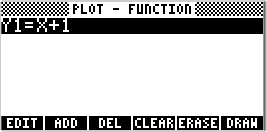
4- and press [ ENTER ]
 |
| |
|
|
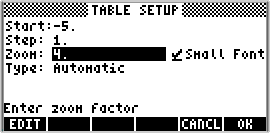
| 5- Press + [ F5 ], for TABLESET |
| |
6- Set parameters and press F6 , for OK
 |
| |
| 7- Press + [ F6 ], for TABLE |
| |
8- It will show the table
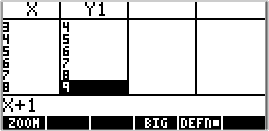 |
| for the function y=x+1
| | |
It can support multiples functions
in the same table.
If you wish work with more than one
function repeatd ADD, as in the step 2. |
|